What app branding actually covers
An app's brand is not the logo you send the developer at the start of the project. It is the icon at roughly 60 pixels on a home screen, the name and subtitle in a store search, the handful of screenshots someone flicks through before tapping Get, the splash that appears while the app loads, and the first screens that ask for a phone number or a location. Each of those surfaces is small, and each one is seen far more often than your website header.
In Kuwait the comparison is unforgiving. A new delivery, booking or car-care app sits on the same phone as Talabat, Deliveroo, the bank's app and Instagram. People have learned what a trusted app looks like from those daily habits, so a blurry icon or an English-only listing reads as unfinished, even when the product behind it is solid.
App branding, as we do it, means designing those surfaces as one system with the rest of the identity: the icon grows out of the logo, the store visuals use the same colours and type as your Instagram, and the splash matches the sticker on the delivery bag or the sign over the shop in Shuwaikh. If you do not have an identity yet, we build the brand and the app layer together, and our branding studio covers the full range of that work.
The icon is the brand at its smallest
Customers will see your icon far more often than your full logo. That is why we design the icon early, alongside the logo, instead of shrinking the logo at the end. A wordmark that looks elegant on a shopping bag usually collapses into grey noise at icon size; the icon needs one shape that survives being small, being rounded by the operating system and being placed on any wallpaper.
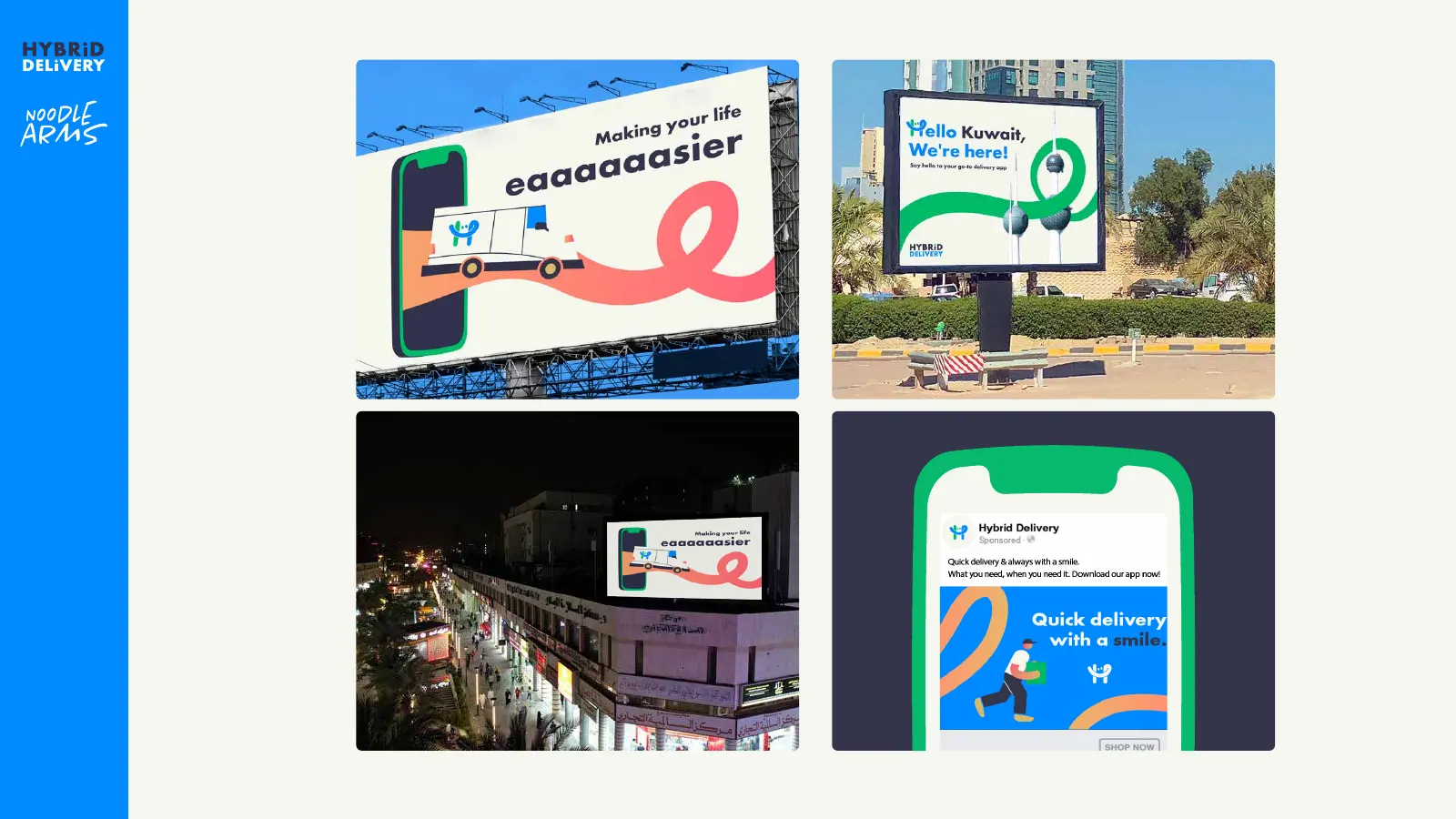
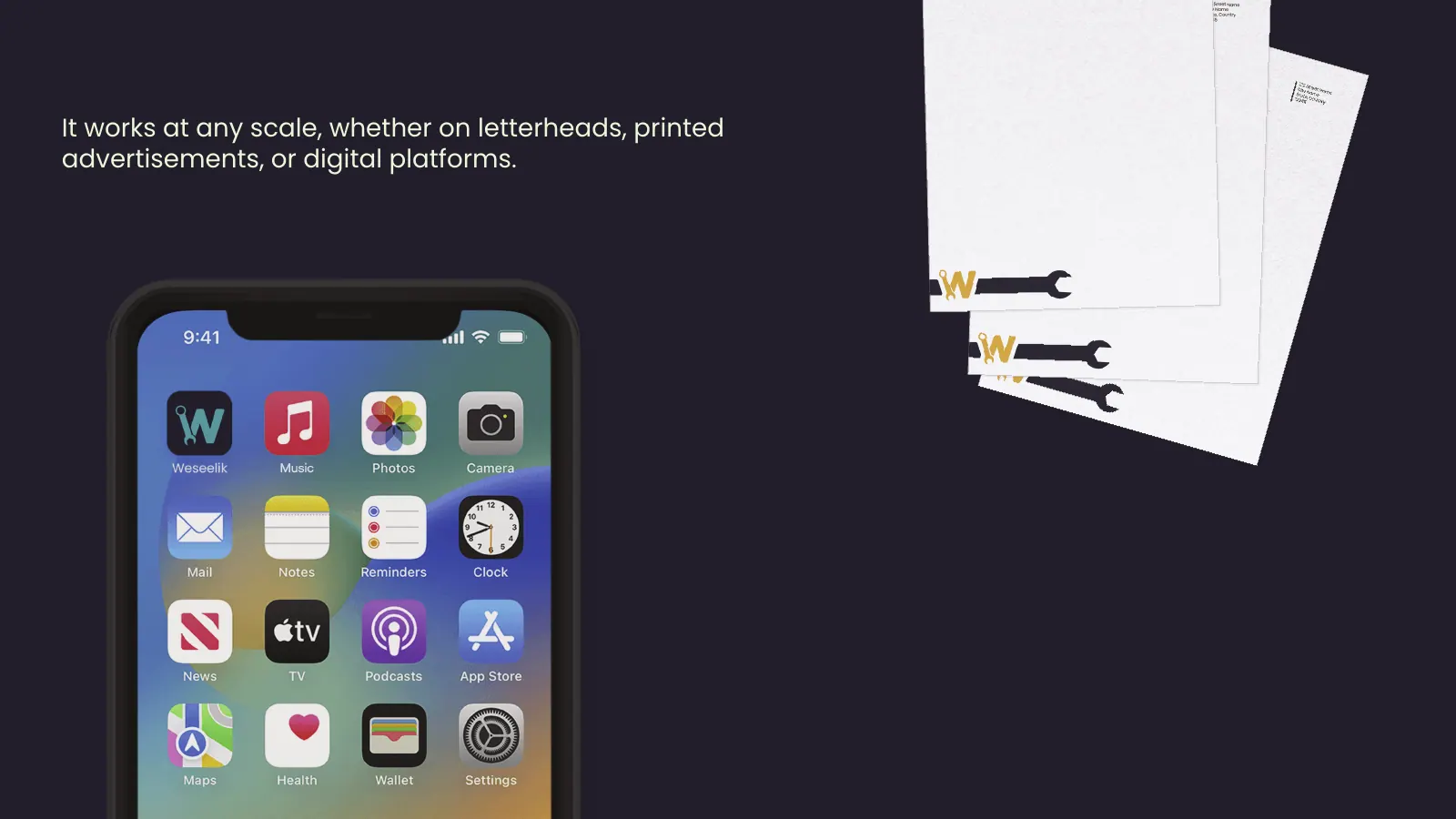
The rules are simple to state and hard to follow: one shape, one or two colours, no words, strong contrast, nothing important near the corners. Hybrid Delivery's icon uses the smiling H from the identity, so the same mark sits on the van livery, the uniform and the home screen. Weseelik's icon takes the spanner letterform from its bilingual logo. In both cases the icon was a decision inside the logo system, not an afterthought.
We test icons the way they will be used: on real phones, in light and dark mode, inside a folder, in a notification banner and in the store's search results, next to the apps Kuwait users already keep on their first screen. The full set of rules and platform sizes is in our guide to app icon design at 60 pixels.
Name lockups in Arabic and English
An app has more names than people expect: the name under the icon, the name in the App Store and Google Play, the subtitle or short description, the lockup on the splash screen and the name the customer says out loud when recommending it. In Kuwait each of those usually needs an Arabic and an English version that feel like the same brand rather than one brand and its translation.
The name under the icon is cut off after a small number of characters on most phones, so a long English name or a two-word Arabic name may be truncated mid-word. We check that before the name goes into the developer's build settings, because changing a display name after launch is possible but confusing for existing users. Before you commit to a name, also check it is free to use; trademark registration in Kuwait is a Ministry of Commerce and Industry process, explained in our trademark registration guide.
For the lockup itself, the Arabic and English letterforms need matching weight, height and spacing so neither looks like a guest. Hybrid Delivery has a dedicated Arabic logo, هايبرد دليفري, designed alongside the Latin one, and Weseelik (وصيلك) was drawn bilingual from the start. If the Arabic side is where your brand is weakest, our Arabic logo design work deals with that problem in depth.
We also agree which language comes first where. An Arabic-first reader with a phone set to Arabic sees your Arabic store listing and an interface that runs right to left; an English-language user sees the reverse. The lockup has to work in both orders without being redrawn every time someone makes a banner.
Store listings and screenshots that work in two languages
The App Store and Google Play pages are the most underrated branding surface an app has. Someone who taps your Instagram or Snapchat ad lands there, not on your website, and decides within seconds whether to install. The page has a fixed structure you cannot redesign: icon, name, subtitle or short description, screenshots or a preview video, and on Google Play a feature graphic. Branding happens inside those constraints.
Screenshots are not product photographs. The first two do most of the work because they appear before anyone scrolls, so each one carries a single benefit in a short caption, set in the brand's type, on the brand's colours, with the real interface underneath. For Arabic listings the screenshots are mirrored: the caption sits on the right, the interface shows the Arabic version of the app, and the sequence reads right to left.
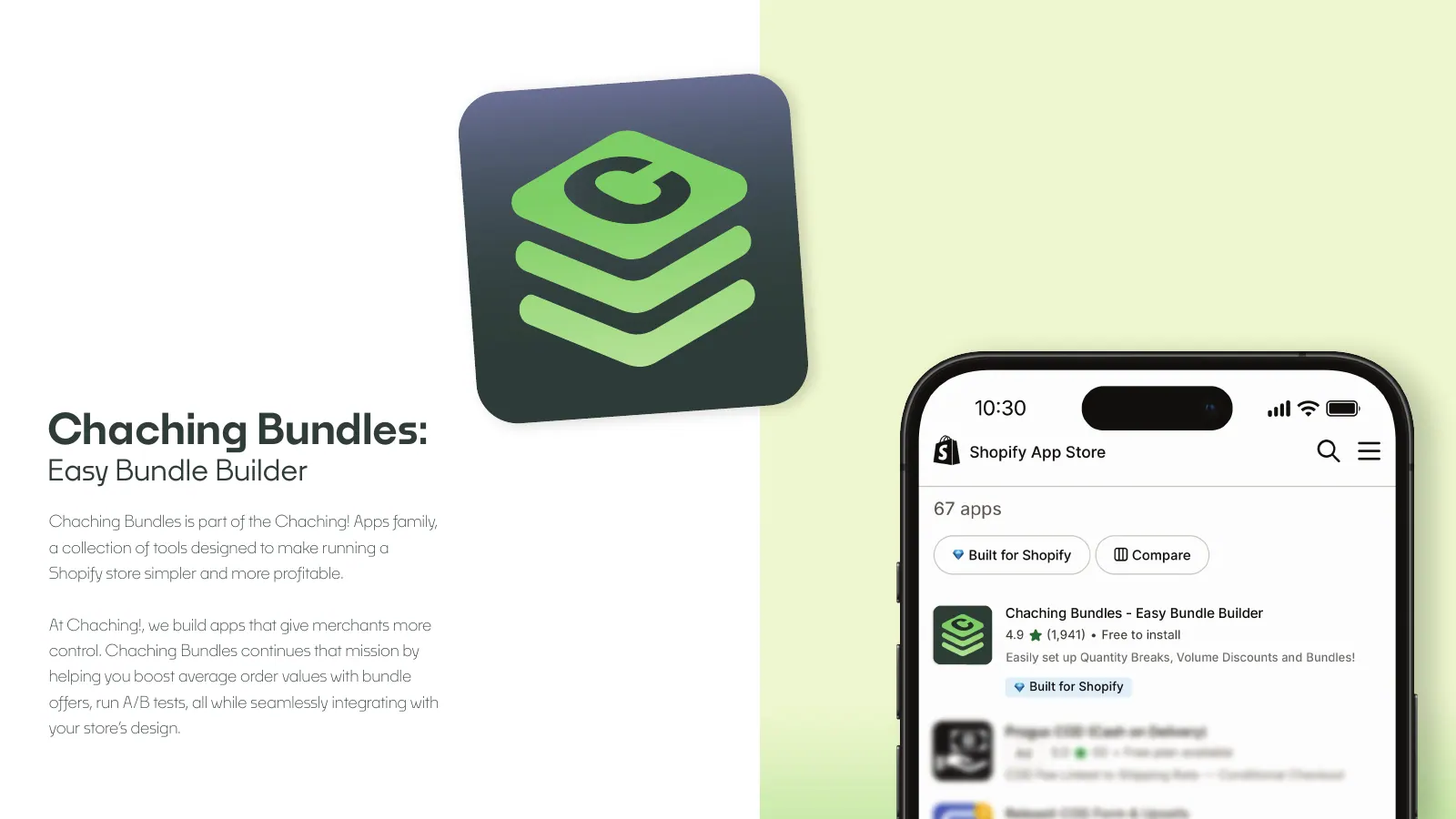
We design a template system rather than one-off images, so your team can update the screenshots when the product changes without breaking the look. For Chaching Bundles, our own Shopify app, we designed the icon lockup, the app-store listing and the feature graphics with the product UI, which is the same discipline applied to merchants instead of consumers.
Writing the listing is part of the job. The subtitle and captions have to say what the app does in plain words, in Gulf-friendly Arabic and in English, without the kind of claims the stores reject. The order in which we approach the listing, from search to screenshots, is laid out in our app branding guide.
Splash and onboarding: the first impression after install
The splash screen exists for a moment while the app loads. It should be calm: the icon or the lockup on the brand colour, centred, with nothing that needs reading. Its real job is continuity, so the person who just tapped an orange icon is not suddenly looking at a white screen with a different logo.
Onboarding is where branding and product design overlap. The visual layer is ours to set: the illustration style, the colours, how the mascot or the icon appears, the tone of the words when you ask for a location or a phone number. Hybrid Delivery's identity carried through to the app's splash and UI, so the green and blue of the vans and billboards are the green and blue on the first screen.
The structure of those screens, the number of steps, where the permission prompts sit and how sign-up flows, is user-experience work, and it deserves its own process with research and testing. We cover that on our UI/UX design page; on an app branding project we hand over the visual rules so the UX work can apply them consistently.
Seasonal moments belong here too. Ramadan, Eid and the national holidays in February are when many Kuwait apps change their splash or home banner. We design the brand so it can take a seasonal variant without losing the icon or the colours people recognise on their home screen.
Mascots: when a character earns its place
A mascot is not a requirement, and for many apps it would be a distraction. It earns its place when the service needs explaining, when the brand speaks to the customer often, or when the product itself is hard to photograph. Car care, delivery, children's products and services with several steps tend to fit; a banking or medical app usually does not.
Weseelik is the clearest example in our work. Salem the Spanner is a character built from the same spanner that forms a letter in the logo, and he explains the service in the app and on signage. Because he comes from the logo, he never looks like a sticker added later; because he has a name, he can speak in onboarding and on Instagram without the brand changing voice.
If we design a mascot, we deliver more than a drawing: a set of poses for common situations such as welcome, waiting, success and error, rules for colour and size, and guidance on how the character talks in Arabic and in English. Without that kit, every new screen or post becomes a new drawing, and the character drifts.
If you are unsure, we can design the app brand without a mascot and leave room for one later. A character introduced once the app has a following is easier to welcome than one forced onto the first screen.
How app branding affects paid installs in Kuwait
Many Kuwait apps grow through paid installs on Instagram, Snapchat, TikTok and Google, often concentrated around launch, Ramadan and the February holidays. The ad is only the first step. The person then sees your store page, your icon, your screenshots, then the splash and the first screen. Every step where the look changes or the message gets vague is a step where people stop, and you have already paid for the click.
That is why the case for app branding is about money, not taste. If the app is a test, a simple icon and plain screenshots are enough. Once you are buying installs, the icon, the store visuals and onboarding decide whether the ad budget converts, and they have to match the brand customers already know from your shop, your delivery bags or your vans.
We design the ad creative, the store listing and the first screens from the same kit, so the promise in a Snapchat ad and the first screenshot on the store page say the same thing in the same colours. It is also the first thing we review when an app's install costs climb. The broader trade-off between brand work and performance spend is in our guide to performance versus brand marketing.
We do not promise install numbers, and you should be wary of anyone who does. What good app branding gives you is fewer leaks between the ad and the open app, and assets your marketing team can keep using without asking a designer every time.
Handing over to developers, or building it with us
An app brand is only useful if the developers can apply it. We hand over icon sets in the sizes the iOS and Android build tools expect, the adaptive-icon layers Android needs, the splash assets, the colour values and type files, and the store templates in editable form. File types and what each one is for are explained in our logo file formats guide.
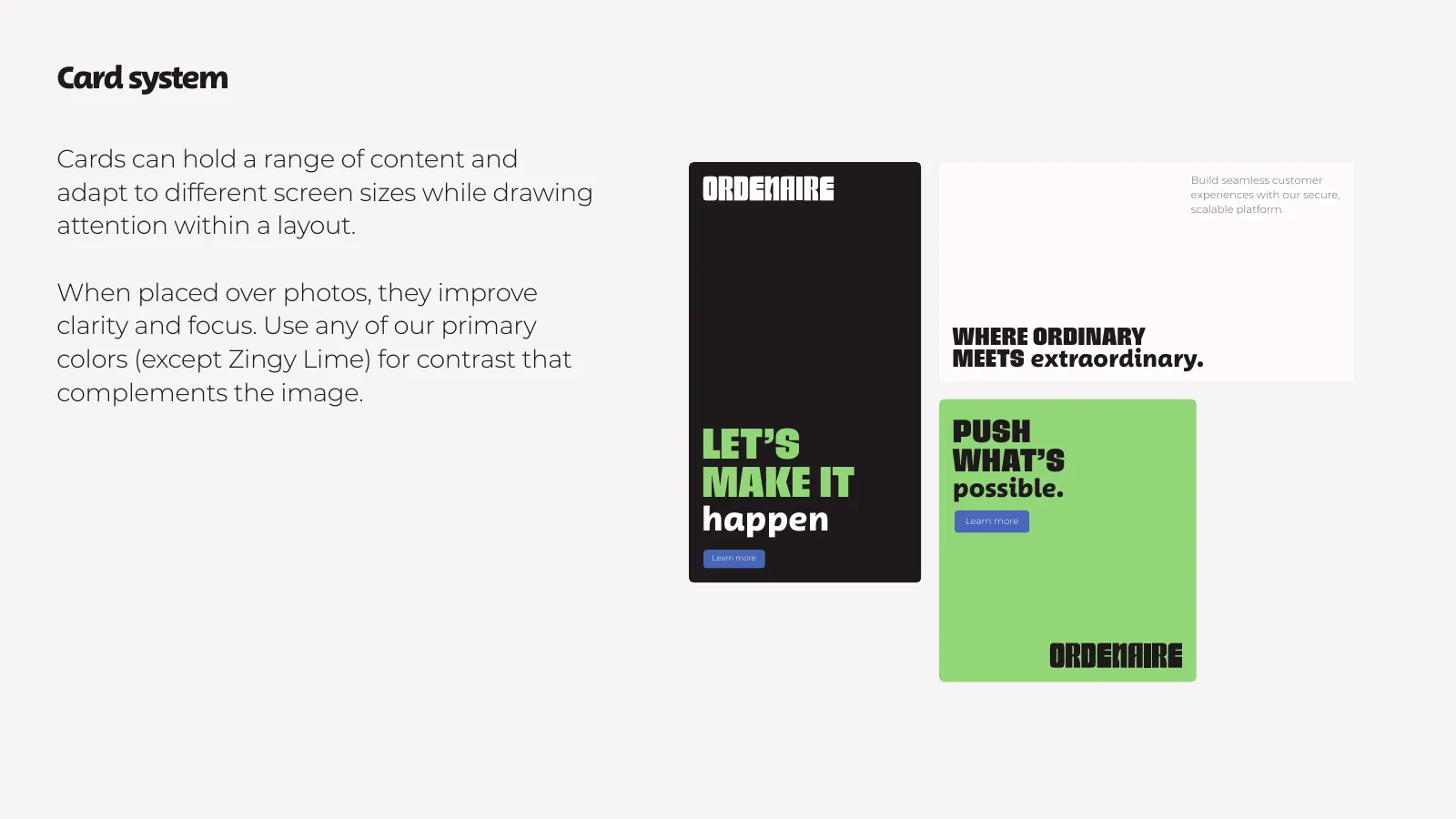
For products with a larger interface, we can extend the brand into a design system, as we did for Ordenaire, a restaurant ordering software brand that received the Ordemark system: colours, type, cards, spacing and icons a product team can build on. That level is optional for a small app and essential for one with many screens and several developers.
If you have not built the app yet, the same team can. Our app development work starts from the brand files, so nothing is redrawn between design and build. And once it is live, the people running the ads already know the brand, because it is the same team.